The dealership's Admin user must add all users who will be scanning, to the dealership Admin account.
If you have not linked your mobile profile to a Dealership Account, you will see an error stating "This account does not have permission to use BlueDriver Max devices"
The following steps can only be taken by the dealership’s Admin user.
How to add users to your Dealership Account:
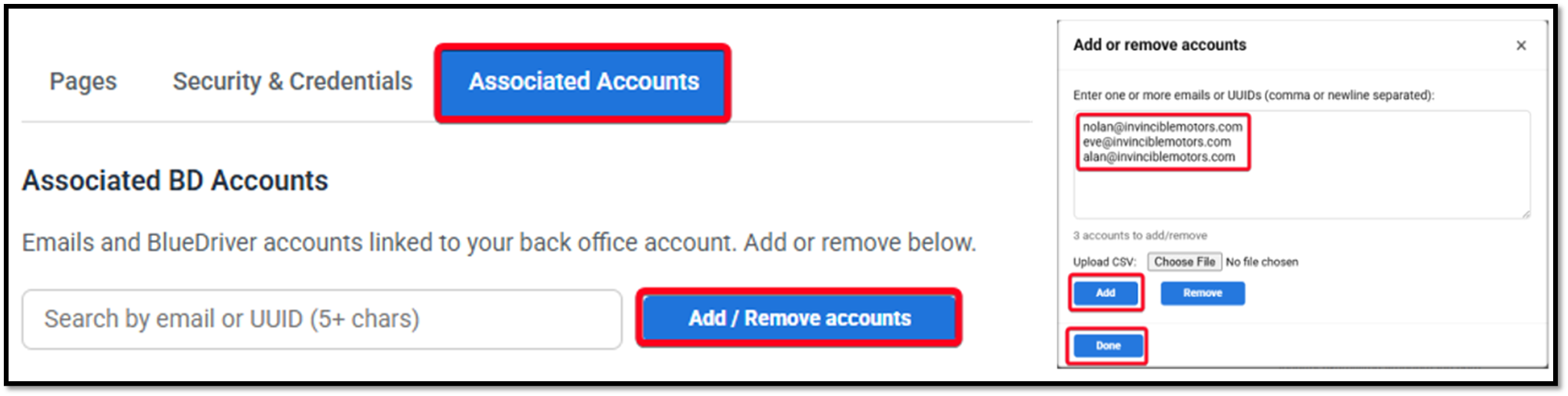
- Login to your Admin Dashboard.
- Click On Associated Accounts.
- Click on Add/Remove Accounts.
- Enter email address of user(s) who are scanning at your dealership.
- NOTE: This should be the email address they used to create their mobile app profile.
- Click on Add.
- Click on Done.
Verify your added users:
- Ensure that the email addresses you added are spelled correctly.
- User not registered means that there is currently no active mobile app profile with this email address in BlueDriver.
- If the user creates their mobile app profile later, then this will update and add them to your Dealership Account automatically.
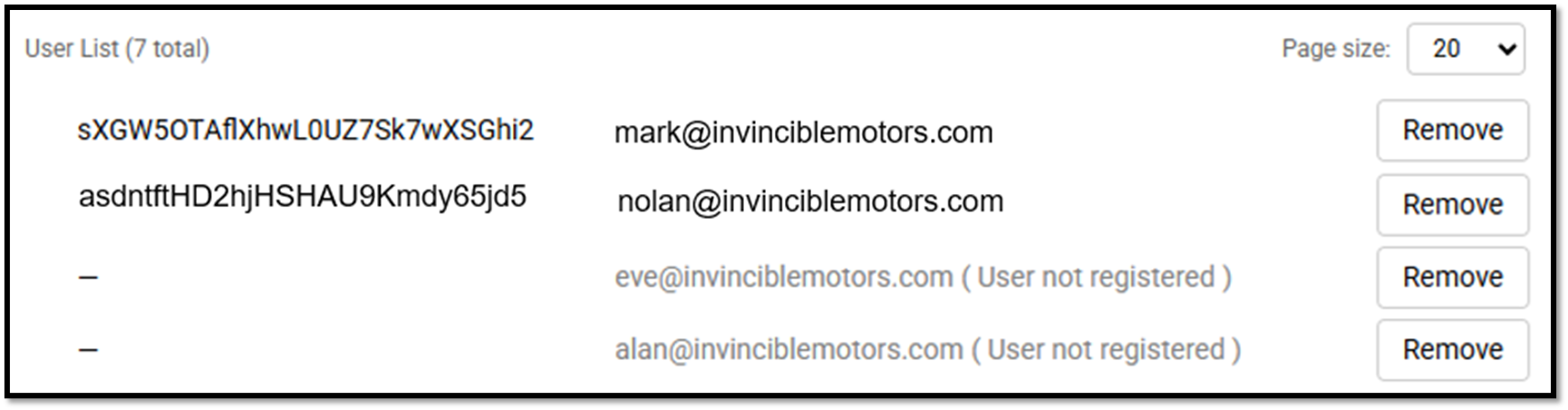
In the example above, Mark and Nolan downloaded the app and created a profile and are linked to their Dealership Account.

Eve and Alan need to download the app and create a profile using their email address. Once they do, they will automatically be linked to their Dealership Account.
Was this article helpful?
That’s Great!
Thank you for your feedback
Sorry! We couldn't be helpful
Thank you for your feedback
Feedback sent
We appreciate your effort and will try to fix the article